How to Adjust the Beater Height on a KitchenAid Mixer
To adjust a KitchenAid stand mixer, turn off and unplug it, confirm the correct bowl and flat beater are fitted, and follow your exact model's clearance procedure. Aim for proper clearance, not contact with the bowl.
On this page (8 sections)
- How do you adjust a KitchenAid stand mixer beater?
- What is the dime test for beater clearance?
- How do you adjust a tilt-head mixer?
- How do you adjust a bowl-lift mixer?
- What if the beater still misses ingredients?
- Which mistakes cause clearance problems or damage?
- When should you stop adjusting the beater?
- How to adjust a KitchenAid stand mixer and choose your next step
To adjust a KitchenAid stand mixer, unplug it, check the bowl and flat beater, and follow your model's beater-clearance procedure. The goal is a small working gap, not a paddle that scrapes the bowl.
Beater height matters when ingredients remain underneath the paddle or the attachment strikes the bowl. Before changing anything, rule out loose parts, the wrong attachment, and a batch too small for the setup.
A mixer that already works well doesn't need a height change just because a recipe calls for scraping the sides.
How do you adjust a KitchenAid stand mixer beater?
Check the fitted parts before changing clearance. Find the model number on your mixer and use its manual, since the adjustment point and directions can differ between designs.
- Switch off and unplug the mixer.
- Confirm that the bowl and flat beater fit your exact model.
- Clean away any dried mixture that could prevent the bowl or beater from seating fully.
- Fit both parts as directed, then put the head or bowl in the required operating position.
- Find the beater-clearance adjustment point identified in the manual.
- Make a small change in the specified direction and complete the recommended clearance check.
- Repeat only within the permitted range, unplugging before each change.
Note the starting position before moving an adjustment screw. That gives you a reference if the first change makes clearance worse.
Don't force a screw that resists turning or loosen nearby fasteners to gain extra movement. If the approved adjustment can't produce proper clearance, contact KitchenAid support.
The KitchenAid mixer use guide covers setup and operation. For a broader look at mixer parts and tasks, see the stand mixer buying guide.
How to adjust KitchenAid stand mixer clearance without guessing
Change one thing at a time, then repeat the same clearance check. Moving the screw, swapping the bowl, and changing the beater together makes it hard to identify the cause.
Keep the bowl empty during the check unless the manual directs otherwise. Thick batter can hide contact and makes it harder to see whether a change helped.
Check clearance again after replacing a bowl or beater. A setting that worked with the old parts shouldn't be assumed correct for the new combination.
What is the dime test for beater clearance?
A dime's movement can help check the gap beneath a flat beater when KitchenAid recommends that method for your setup. It isn't a general check for every bowl, whisk, dough hook, or mixer model.
Follow the model-specific directions for coin placement, speed, running time, and expected movement. Don't adjust toward a result described for a different attachment or bowl.
Switch off and unplug the mixer before placing or removing the coin and before making each adjustment. Keep fingers and tools away while the attachment moves.
Remove the coin before adding ingredients. If you can't find suitable instructions, ask KitchenAid which clearance check applies rather than choosing a gap by eye.
How do you adjust a tilt-head mixer?
Use the clearance procedure for your exact tilt-head model, including its directions for raising, lowering, and locking the head. Confirm the purpose of the adjustment screw before turning it.
Make sure the bowl is fully secured in its base and the flat beater is seated correctly. A loose bowl or attachment needs refitting before any height change.
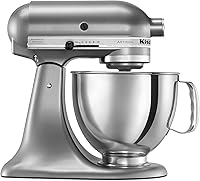
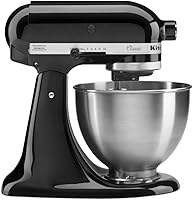
The Classic and Artisan below suit buyers choosing a mixer as well as readers identifying their current setup. Neither is a necessary replacement for a mixer with a correctable clearance problem.
KitchenAid Classic K45SS: for standard home baking
Choose the Classic for standard recipes and direct bowl access. Its tilt-head design suits bakers who want to reach into the bowl to add ingredients or scrape between mixing stages.
It includes a coated flat beater, coated dough hook, and 6-wire whip. Use the flat beater for the clearance procedure when your manual specifies it, rather than substituting another included tool.
Skip it if your usual recipes need a larger bowl. When measuring your kitchen, allow room to raise the head as well as space for the mixer itself.
KitchenAid Artisan KSM150PS: for a little more batch room
Choose the Artisan if you want tilt-head access with more bowl capacity than the Classic. It also includes a pouring shield, which helps direct additions into the bowl.
Its 10-speed control runs from a slow stir to a fast whip. Start dry additions slowly, then increase speed only as the recipe and mixer instructions allow.
Skip the upgrade if the Classic already fits your recipes and your only concern is beater clearance. Our KitchenAid Classic vs Artisan comparison helps separate a capacity choice from a setup issue.
For an overview after setup, read how to use a KitchenAid mixer. For recipes that need extended mixing, our guide to kneading dough with a stand mixer explains how to work within the mixer's instructions.
How do you adjust a bowl-lift mixer?
Check bowl seating and the required raised position before adjusting clearance. A bowl that isn't secured correctly can appear too low even when the clearance setting is correct.
Follow your manual's order for attaching the bowl and beater. Don't copy the screw location or turning direction from a tilt-head guide.
KitchenAid KSM55SXXX: for larger batches
Choose this bowl-lift model for larger recipes and its 3-point locking bowl design. Its 5.5-quart stainless steel bowl gives it more capacity than either tilt-head model covered here.
It has 11 speeds, including a 1/2 speed intended for folding delicate additions. That setting serves a different purpose from clearance adjustment, so don't use speed changes to work around bowl contact.
Skip it if you mainly make tiny quantities and expect a larger bowl to improve ingredient reach. More capacity doesn't solve a mismatch between batch size and attachment reach.
Measure the available space before buying: this mixer is 16.5 inches tall. If you're comparing access and setup, see tilt-head vs bowl-lift stand mixers.
What if the beater still misses ingredients?
Check batch size, attachment choice, and mixing technique before raising the bowl further. Missed ingredients don't always mean the beater sits too high.
A small amount of mixture may sit below the attachment's useful working area. Increasing the recipe within the mixer's limits or using another suitable mixing tool can be more useful than altering clearance.
Use the attachment intended for the task. A flat beater, whisk, and dough hook move ingredients differently, so one attachment's behavior doesn't establish another's correct height.
Scraping the sides during a recipe can still be necessary with proper clearance. Stop and unplug the mixer before scraping, then remove the spatula before restarting.
KINTLE height washers: only for a confirmed compatible setup
Consider these washers only after confirming exact fit and checking KitchenAid's guidance. They change bowl position, so they shouldn't be the first response to uneven mixing.
KINTLE supplies rubber washers in 3 height options, with 4 washers of each height. The brand describes them as a way to improve ingredient reach in compatible bowl-lift setups.
Skip them for tilt-head mixers, uncertain compatibility, loose bowls, or scraping beaters. Don't stack improvised spacers or use extra height to make an incorrect bowl and beater combination work.
Which mistakes cause clearance problems or damage?
Avoid contact, forced adjustments, and checks with the wrong attachment. Proper clearance lets the beater move close to the bowl without striking it.
- Turning too far: make small changes and stay within the manual's range.
- Adjusting around loose parts: secure the bowl and attachment first.
- Chasing every streak: pause to scrape instead of lowering the beater until it touches.
- Ignoring fresh marks: stop if the bowl shows new scrape marks or a coated beater shows damage.
- Changing several settings together: keep each check consistent so its result is useful.
Clean the attachment after use and inspect it before the next batch. Follow part-specific care directions, since a dishwasher-safe bowl doesn't establish how every attachment should be washed.
Our guide to putting KitchenAid attachments in the dishwasher explains what to check before cleaning.
When should you stop adjusting the beater?
Stop if the beater scrapes, the bowl won't secure, or the permitted adjustment doesn't resolve the issue. Unplug the mixer and seek help before running it again.
A new knock, visible damage, or movement at a connection needs inspection. Don't keep adjusting height to hide a problem elsewhere in the mixer.
If the issue began after changing a bowl or attachment, confirm that replacement part's compatibility first. Returning to the correct parts comes before changing the machine's setup.
How to adjust a KitchenAid stand mixer and choose your next step
Keep your current mixer if correct setup and an approved clearance adjustment solve the problem. Buy another mixer for a recipe or capacity need, rather than as the first response to missed ingredients.
Choose the Classic for standard batches, the Artisan for more room with tilt-head access, or the KSM55SXXX for larger recipes in a bowl-lift design. Consider KINTLE washers only when compatibility and suitable use are confirmed.
Once you know how to adjust your KitchenAid stand mixer, use the right attachment and batch size to get more from it. For your next recipe, see what you can make with a stand mixer.
Frequently asked questions
How do I adjust the beater height on a KitchenAid stand mixer?
Turn off and unplug the mixer, confirm that the correct bowl and flat beater are fitted, and follow your exact model's clearance instructions. Make small changes only at the specified adjustment point, then complete the recommended clearance check before mixing food.
How do I do the dime test on a KitchenAid mixer?
Use a dime check only when KitchenAid recommends it for your exact mixer, bowl, and flat beater, following its directions for speed and expected coin movement. Switch off and unplug the mixer before placing or removing the coin or changing clearance, and remove the coin before preparing food.
Should a KitchenAid beater touch the bottom of the bowl?
A standard flat beater should have clearance rather than scrape the bowl, so don't lower it until it makes contact. If you hear scraping or see fresh marks, stop and unplug the mixer, then check part compatibility, bowl seating, and the clearance procedure before using it again.
Can I adjust the beater height on a bowl-lift KitchenAid mixer?
Use your exact bowl-lift model's manual to confirm its adjustment method and permitted range, with the bowl secured in the position required for the check. Don't copy tilt-head instructions or add height washers to compensate for the wrong bowl or beater; ask KitchenAid support if the procedure is unclear.